Everyone use to schedule reports for business users, however, what to do if you have special security profiles for users, for instance, we have "Sales report" and want to schedule it for our users from different cities and they can see only data of their own city.
As usual, we can schedule it several times with condition such as where city = ... But what to do if we have 30 cities and their number constantly grow?
Special for this case SAP BO suggest us use "Bursting" which can be set in CMC.
Let's see step by step manual:
1. Create report

2.Create profiles in CMC. Choose users and data values.


 3.6 Method of sending. Please pay attention on “From” &
“To”, we have to use the same phrase.
3.6 Method of sending. Please pay attention on “From” &
“To”, we have to use the same phrase.
 3.7 Determine recurrence
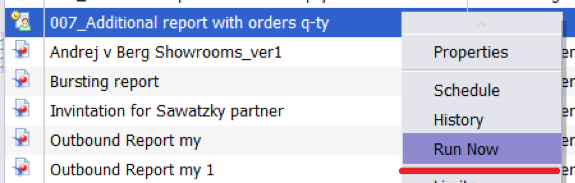
 3.8 Check sending, by clicking “Run Now”
As usual, we can schedule it several times with condition such as where city = ... But what to do if we have 30 cities and their number constantly grow?
Special for this case SAP BO suggest us use "Bursting" which can be set in CMC.
Let's see step by step manual:
1. Create report

2.Create profiles in CMC. Choose users and data values.

2.1 In
Properties name our profile

2.2 In Profile Targets choose Universe and object includes
data values.

2.3 In Profile Values determine users and data values, which
they will receive.

2.4 As a result we
may see data values according users.

3 Public
report

3.1 Name
report

3.2 Choose
report for sending
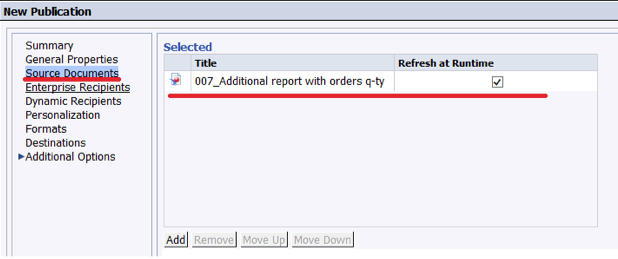
3.3 Choose users marked in profiles (2.3)

3.4 Determine profile on Personalization

3.5 Format of report


That's it.
As a result, every user will get data according his/her security profile.


